New CVE published – are you affected?
Tuesday, 8:30 a.m.: a critical vulnerability is published in a widely used library. Shortly afterwards a customer asks whether your software is affected. In many companies the honest answer is: “We’ll check and get back to you.”
“We’ll check” quickly turns into days. Teams search repositories, read lockfiles by hand, ask colleagues which version customer X is running, and hope nobody forgot an old container image. This post explains why the question is so hard to answer and how Secupipe answers it in minutes, because checking starts at build time.
Why the question is so hard to answer
- Transitive dependencies: the affected library is rarely listed directly in your
package.jsonorgo.mod. It arrives through a dependency of a dependency. - Containers and base images: next to your code you ship an operating system image with dozens of packages nobody on the team chose deliberately.
- Many versions in the field: your customer is not running today’s
mainbut a release from eight months ago. What counts is what was shipped, not what is in the repository today. - The vulnerability arrives after the release: a component that was clean at build time can have a critical CVE tomorrow. A one-off check is not enough.
Log4Shell (CVE-2021-44228) showed in December 2021 how expensive this can get: many companies needed weeks just to find out where Log4j was used. The backdoor in xz Utils (CVE-2024-3094) in March 2024 raised the same question again, this time for Linux packages in container images.
Why it is now urgent from a regulatory view too
Since 11 September 2026 the reporting obligation of the Cyber Resilience Act applies: actively exploited vulnerabilities in your products must be reported within 24 hours. The clock starts when you become aware, so you need to know quickly whether you are affected. Details are in our post CRA reporting obligation applies since 11 September 2026. NIS2 also requires you to know and manage supply-chain risks.
The solution: check at build time and keep checking
1 · Pipeline builds artifacts→2 · Secupipe checks every artifact→3 · Alert for every new vulnerability
1. At build time: every artifact is recorded and checked
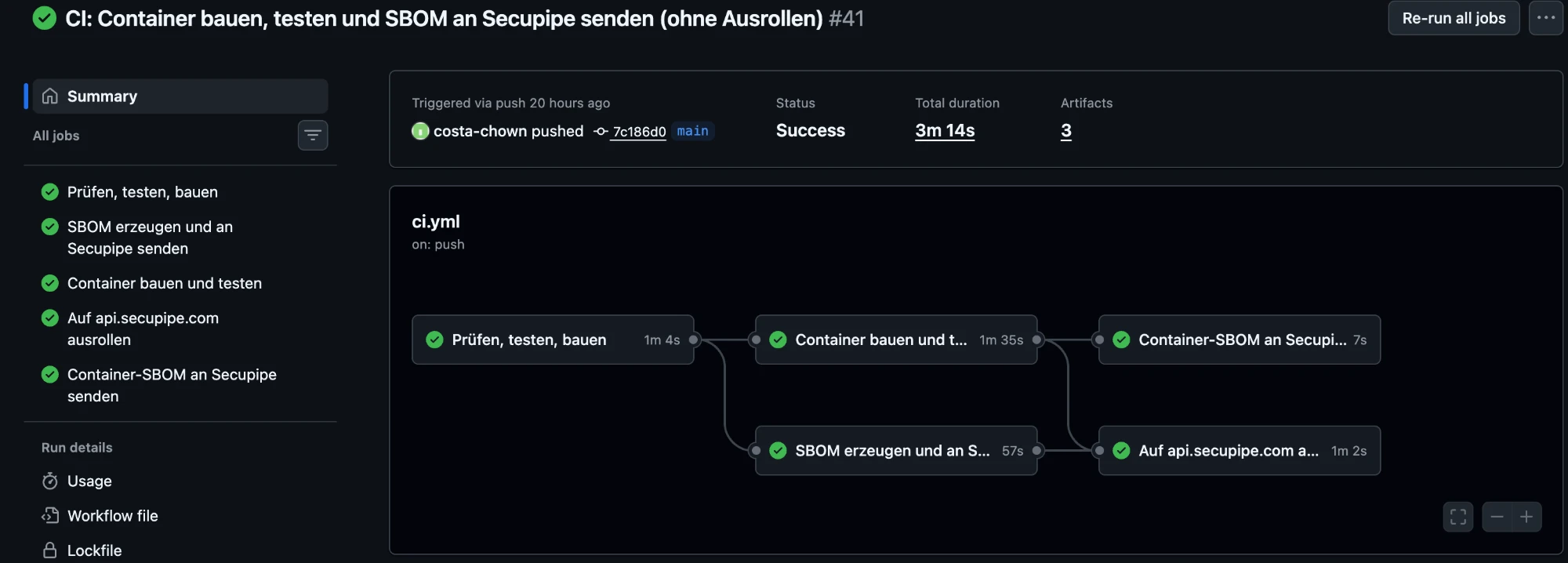
Your CI/CD pipeline builds your artifacts as usual, for example the application and the container image. Right after that a step creates a bill of materials (SBOM) of all included components and sends it to Secupipe, together with the commit, branch and a link to the pipeline run. Secupipe checks it immediately, and a release gate fails the build if open critical vulnerabilities are found. A known vulnerability never makes it into a delivery.
2. Secupipe checks the artifacts
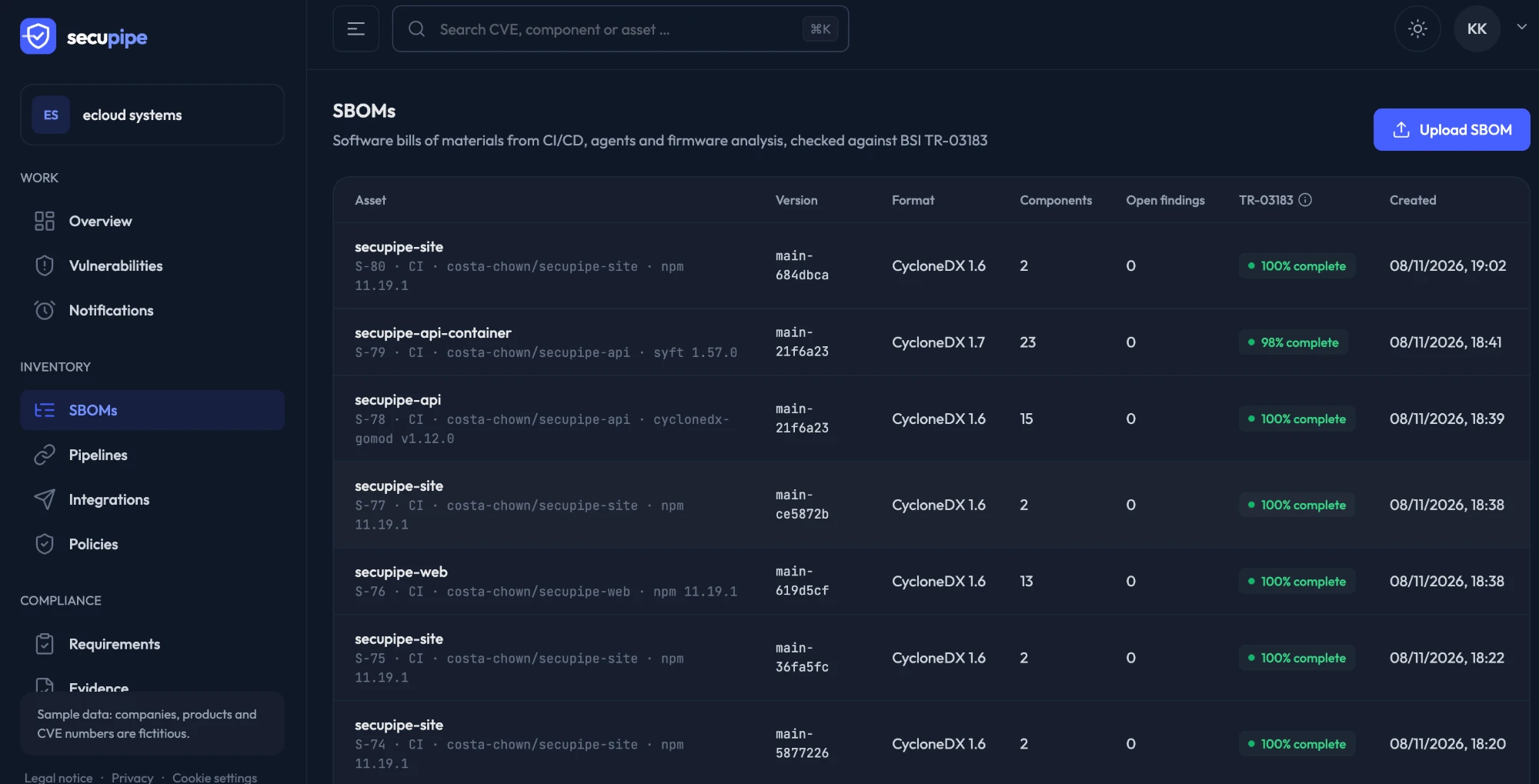
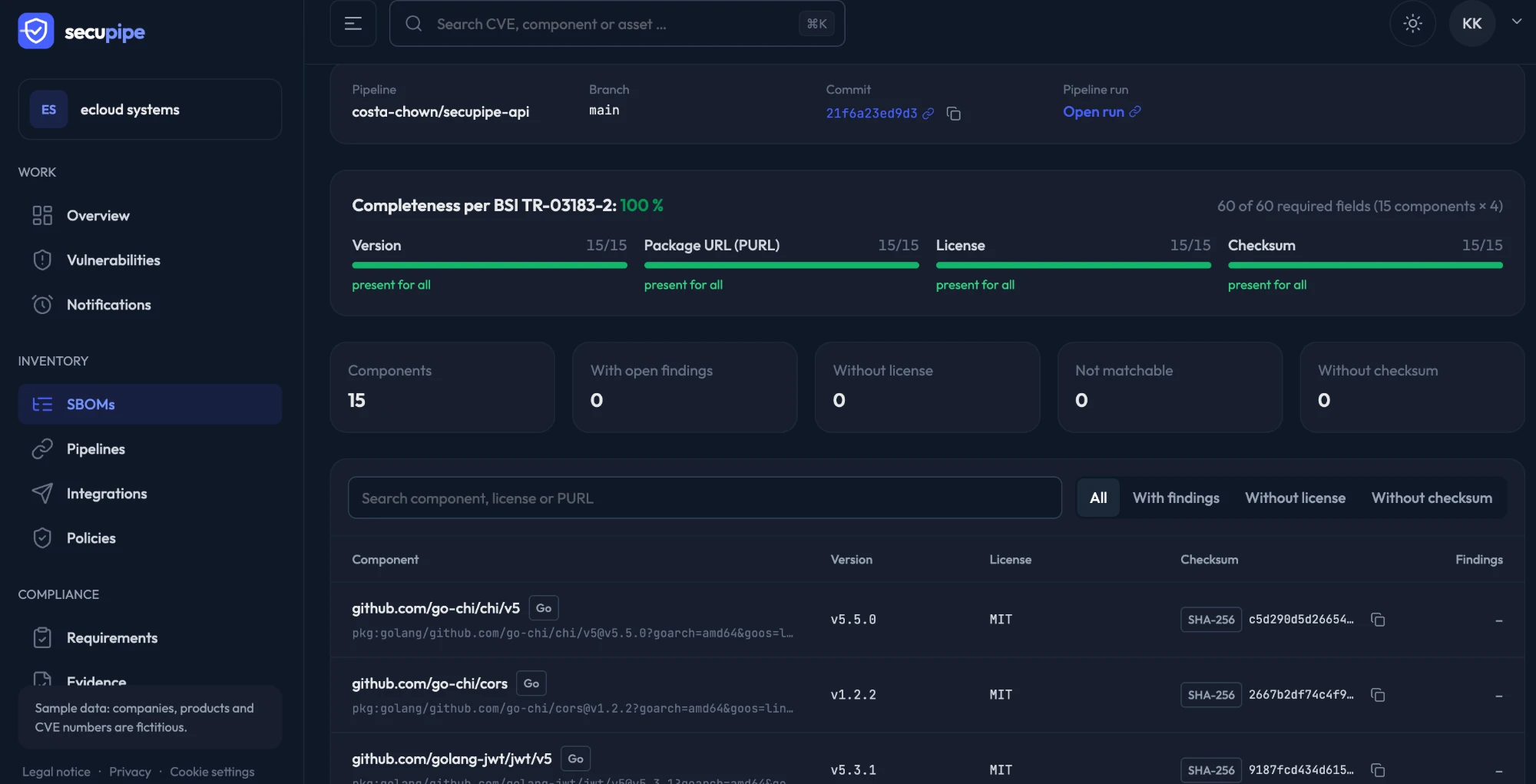
Every SBOM is stored in Secupipe with its origin: which artifact, which version, which commit, which pipeline run. Secupipe matches all components against the OSV vulnerability database, the exploit probability from EPSS and CISA’s KEV catalog. You also see whether the SBOM is complete according to the German technical guideline BSI TR-03183.
3. Afterwards: keep checking and raise the alarm
This is the real difference. Secupipe does not check only once at build time; it re-matches all stored SBOMs regularly: every 6 hours on the Free plan, every 3 hours on Team and continuously on Enterprise. When a new CVE is published that affects one of your components, Secupipe tells you without anyone having to search: in Slack, Microsoft Teams, Mattermost, Discord, Matrix, Telegram, via webhook or directly as a Jira ticket.
The answer to “Are we affected?”
The next time a new CVE makes the rounds, type its ID into the Secupipe search and you immediately see:
- which artifacts contain the affected component,
- in which version and from which commit and pipeline run they come,
- how likely exploitation is (EPSS) and whether it is already actively exploited (KEV).
“We’ll get back to you” becomes an answer in minutes, with evidence. And because every step is logged, you can later prove when you became aware and how you responded.
How to get started
- Create a free account and generate a token under Pipelines.
- In your pipeline, create an SBOM after the build, for example with Syft for containers or the CycloneDX tools for npm and Go, and send it to Secupipe.
- Under Integrations, choose where alerts should go.
One project with one pipeline is free forever. If you need it fast, our installation package connects up to five pipelines for you.